Tutorial
BeginnerAdd Up Continuing-Education Credits per Member and List the Rows That Break the Counting Rules
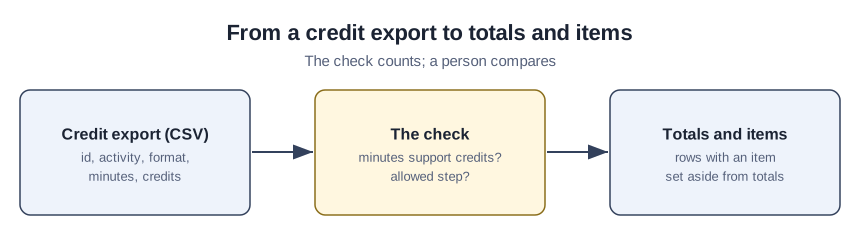
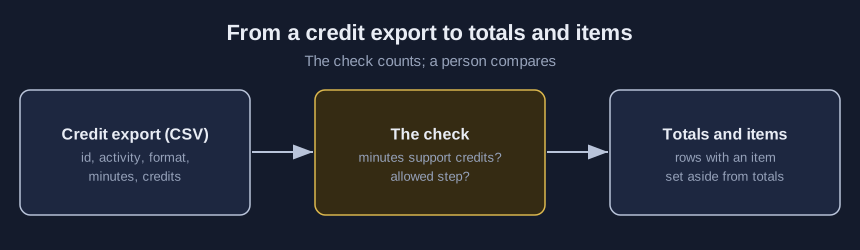
Choose one CSV credit export in a browser lab, set the counting rule your board or certifying body uses, and read per-member totals plus the rows to compare with the original export.
Time needed: About 35 minutes, plus the time to compare each listed row with the original export
Before you start:
- A credit export for one reporting period with member_id, activity, format, minutes and credits columns, or use the sample files
- The counting rules of your licensing board or certifying body
- A recent desktop browser
Certification Continuing Education Data Quality Csv Membership
Before a reporting deadline or an audit sample, education staff often hold one export of credit rows and need each member’s total, plus the rows whose amounts cannot be right. By the end you will have rolled up one credit export per member id against a counting rule you chose, and logged every row you compared. Credits or minutes saved as text are spreadsheet damage, which the member-export spreadsheet-damage tutorial handles, and before real records go near an AI tool, read the guide to what member data is safe to paste into AI.
Try it now: the continuing-education credit roll-up check adds up credits per member id from one CSV file inside your browser, and nothing is uploaded. Results list member ids, the row number and column name of each item, and credit totals, never a name or an email address. Until your organization decides who may see the real credit export, use made-up data.
The counting rules the lab borrows, and where boards part ways
No source among the four tested whether running a roll-up check changes renewal or audit outcomes.
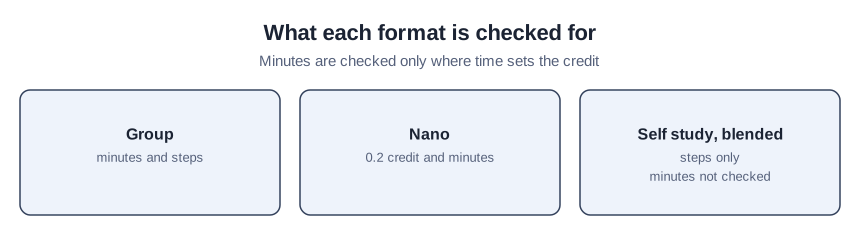
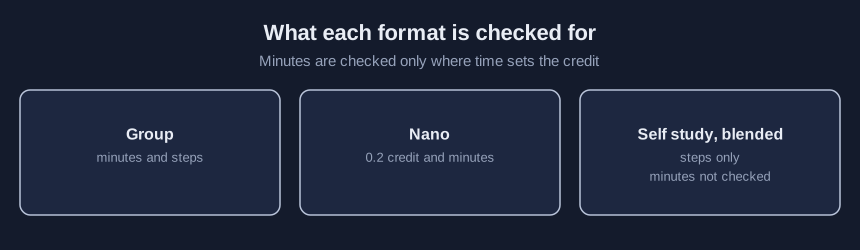
Accountancy standards jointly issued by the AICPA and NASBA, effective August 1, 2026, define one CPE credit as fifty minutes of participation in a formal learning program. For group programs, the first amount is one-half or one full credit, later steps are one-fifth or one-half, and sponsors may round down but not up. In the standard’s own example, five 30-minute segments total 150 minutes and count as three credits, while 140 minutes earns 2.8 credits in one-fifth steps or 2.5 in one-half steps. A nano program carries only 0.2 credit and runs at least 10 and under 20 minutes. Breaks, housekeeping and excessive welcome time do not count, so export learning time rather than room time.
The AICPA and NASBA standard is written for CPAs; if your credential uses CEUs or its own hour, switch the basis. IACET, a nonprofit continuing-education standards association, says one CEU equals ten contact hours, and the 60-minute contact hour is our default, not IACET’s, and a setting you can change.
Two state boards show counting can differ; neither is the rule for your credential. South Carolina’s state board of accountancy rules grant one-fifth credit hour for each ten minutes after the first hour, rounded down, and cap nano credit at ten percent (4 hours) of required hours. Rhode Island’s state board of accountancy rules give one credit for a segment of 51 to 74 minutes, and count an 11 to 24 minute segment as one nano unit.
Roll up one credit export in nine steps
Email ai@trihelix.co for the starter kit, which holds ce-credits-blank-template.csv and credit-check-log.csv.
- Export one reporting period with member_id, activity, format, minutes and credits.
- Match your header to the kit’s template, or type your own names under “Column names in your file”.
- Pick “CPE credit (50 minutes)” or “CEU (ten contact hours)” under “Credit basis”.
- Set the steps, the half-credit start, the nano cap and the nano upper bound to match your board or certifying body.
- Type the requirement you set only if you want the shortfall check, which stays off while that box is blank.
- Choose your file under “CSV file” and press “Check”.
- Go back to the original export for every row the lab lists under “Items to compare”.
- Record each comparison and who made it in credit-check-log.csv.
- Fix the amount in the system of record, then rerun steps 6 and 7 on a fresh export.
Self study and blended rows earn credit another way, so their minutes are not checked.
Reading the planted credit sample
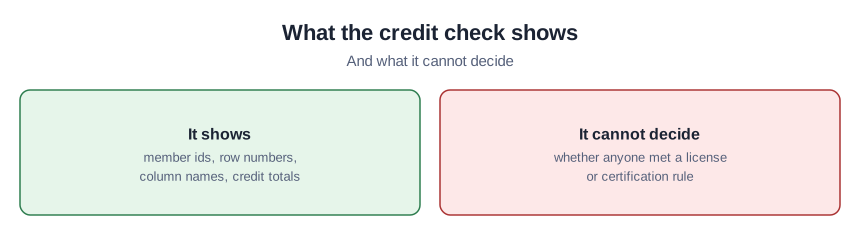
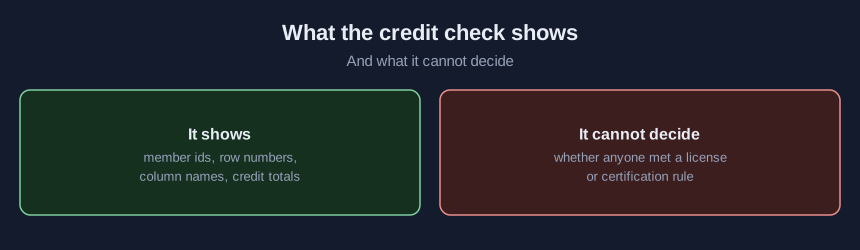
Every member in this sample is invented. Press “Load planted sample”, leave the settings alone and press “Check”. M0001 claims 3 credits on a 140-minute group row, which the 50-minute rule supports only up to 2.8. M0004 has a nano row worth 0.5. M0005 has a nano row of 22 minutes, listed at the default upper bound of 20, and it passes if you set that bound to 25. M0009 shows activity S01 twice, a possible duplicate row to look at, never a rule. A row with an item stays out of that member’s counted total until someone compares it with the original export, so a member can look short only because one row is waiting.
Running the clean sample as a check
Press “Load clean sample” and then “Check”. No row in the clean file breaks the shipped settings, so an items table here means a setting has changed.
Mistakes that misread or miscount a roll-up
Exporting room time instead of learning time inflates the minutes the check trusts. Reading a short member as one who missed a requirement turns a prompt into a verdict. Copying South Carolina’s or Rhode Island’s numbers into the settings treats another board’s rule as yours.
Limits of the credit lab
One CSV file, 5 MB at most, is all the lab reads, and it never changes a credit amount. Its steps, nano cap, nano upper bound, requirement and repeat flag are its own settings, not standards or legal requirements, and the AICPA and NASBA standard leaves final authority on accepting courses to boards, membership associations and other professional organizations. It was run only on made-up files in a desktop browser and in Node.
Sources (4)
- AICPA and NASBA: The Statement on Standards for Continuing Professional Education (CPE) Programs, August 2026 (accountancy standards jointly issued by the AICPA and NASBA, effective August 1, 2026; cited through NASBA's registry page, which links the PDF)
- IACET: About the CEU (IACET, a nonprofit continuing-education standards association; public page, read October 2026)
- South Carolina Board of Accountancy: Regulations Chapter 1, Reg. 1-08, Continuing Professional Education (state board of accountancy rules, read October 2026)
- Rhode Island Board of Accountancy: 400-RICR-00-00-1, section 1.8, Continuing Professional Education (state board of accountancy rules, read October 2026)