Tutorial
BeginnerCheck a Committee Roster Against the Service Limits in Your Own Bylaws
Load one CSV committee roster into a browser lab, copy each service limit from your own bylaws or committee policy, and get a short list of rows and people to recheck in the roster export.
Time needed: About 30 minutes, plus the time to look up each listed row in the roster export
Before you start:
- One committee roster as a CSV file with person_id, committee and role columns (plus term_number for term limits), or use the sample files
- Your own bylaws or committee policy, with its service limits
- A recent desktop browser
Committee Volunteers Bylaws Csv Data Quality
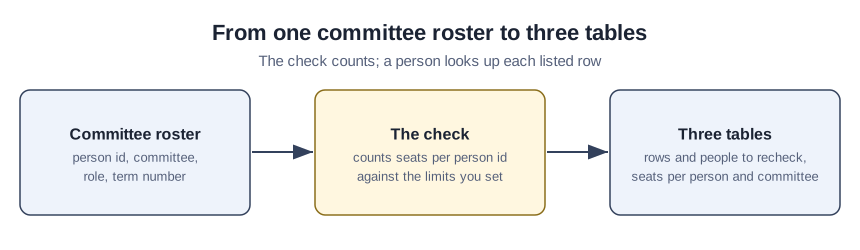
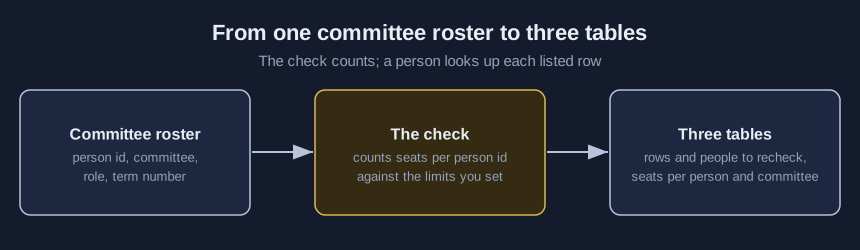
This tutorial checks one committee roster against the service limits in your own bylaws, before appointments are confirmed. You finish with rows and people to recheck in the roster export.
Try it now: the committee roster check counts seats per person id in one CSV roster, inside your browser. Practice on the made-up samples until your organization settles who may open the real committee roster.
Service limits as four organizations wrote them
How often rosters break their limits, and whether checking changes anything, is measured by none of these four sources.
The Society for American Archaeology’s Committee Appointment Policy (December 19, 2019) limits members and chairs to simultaneous service on two committees, except award committees. A person may chair no more than two committees simultaneously, and a member may only serve on one award committee at a time. Members outside award committees may serve two, but not more than two, consecutive terms, and an appointment past that two-term limit goes to the attention of the full board for approval.
ASAE’s volunteer page, which lists no posting or revision date (we opened it on October 7, 2026), allows only one council or committee at a time. Members can only serve on a council/committee for three consecutive terms, though anyone selected for a leadership role gains three additional terms: one year as vice-chair, one year as chair, and one year as immediate past chair.
The American Library Association’s Policy Manual, Section A, whose revision history runs to June 27, 2026, counts positions: no person shall concurrently serve in more than three separate positions, leaving out service that a position itself requires. Standing committee members may be reappointed for one (1) additional consecutive term, then need a one (1) year break in service on the committee.
The Genitourinary Pathology Society’s bylaws, adopted in 2018 by this nonprofit society of pathologists, allow no more than two committees at any given time and a chair of only one committee at a time. Members and chairs may serve no more than two two-year terms on committees, a ceiling the bylaws also word as no more than four years.
From roster export to a list worth rechecking
- Export one committee roster with person_id, committee and role, giving each committee seat its own row.
- Add term_number for term checks, filled in yourself from your appointment records.
- Match the boxes under “How your file names its columns” to your headers.
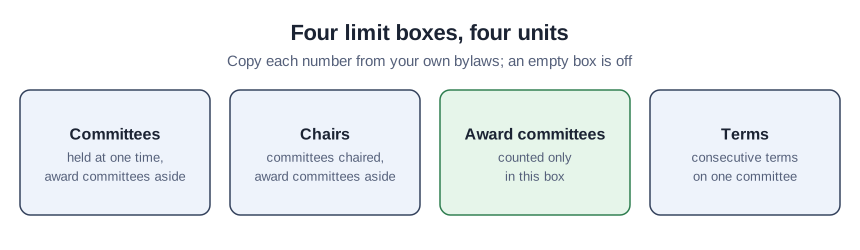
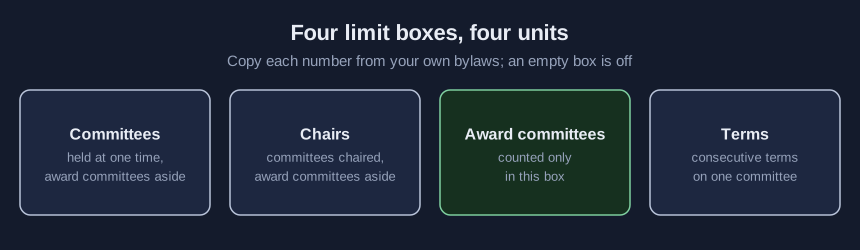
- Copy each limit from your own bylaws or policy into its box under “Your limits and lists”, in that box’s unit; leave the rest empty.
- Type award committee names, chair role words, and roles that never count, such as a board liaison.
Three choices belong to this tool, not to any policy: award committees count only toward the award limit, “chair” is the only starting chair word, and term_number means the consecutive term now being served on that committee. The chair check lists a committee with no chair or with several, and you can switch it off.
- Under “Roster file (CSV)” choose your export; “Check” then fills the three tables.
- Look up each entry under “Rows and people to recheck in the roster export” in the export itself, logging who looked.
- For anyone past a limit, take the next step your own policy names.
A second row with the same person id, committee and role is shown as a repeated line and kept out of the counts while the first copy still counts; a repeat on its own puts nobody over a limit. Rows missing an id, committee or role are held out too. Two ids that could be one person still count apart, since names are ignored; the tutorial on duplicate and stale records covers that question.
The sample with problems, person by person
Start with the “Open the sample with problems” button and add “Put in example limits, all made-up practice numbers”. Those limits (two committees, one chair, one award committee, two terms) are a made-up mix no single association uses, and every person is invented. P-0320 sits on three ordinary committees, with a duplicate Program row held out. P-0321 holds two ordinary seats plus an award committee, so it sits at the limit, unlisted. P-0312 chairs two committees. P-0326 and P-0327 carry two spellings of one invented name and stay separate.
Test the term check by emptying its box
With the example limits still in, confirm that P-0323, in a third straight term on Program, is listed. Then empty “Most consecutive terms on one committee” and press “Check”: every term item should vanish, because an empty box switches its check off.
Roster mistakes that skew the counts
- Putting a committee on the award list when your policy counts it like any other.
- Leaving co-chair out of the chair words when your policy counts co-chairs, or adding it when it does not.
- Filling term_number with years served, not the current consecutive term.
- Exporting ended seats with current ones.
- Reading ALA’s three positions as a committee count.
Work the roster check cannot do
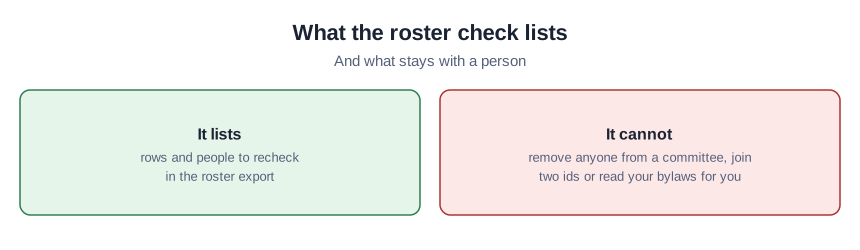
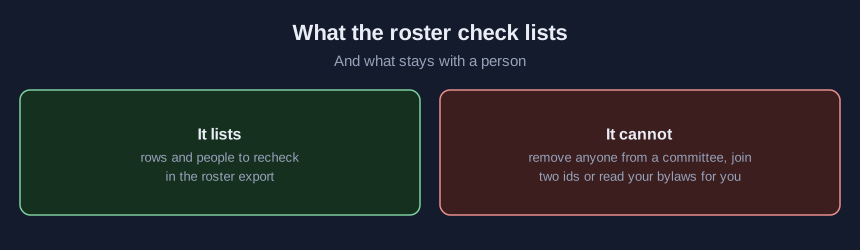
The lab takes a single CSV of up to 5 MB, reads no dates and opens no second file. It never deletes a row, joins ids or decides who steps off a committee, and it does not follow ASAE’s leadership path. Its trial runs used invented rosters only, in Node and a desktop browser.
Sources (4)
- Society for American Archaeology: SAA Committee Appointment Policy (December 19, 2019; adopted by the SAA Board at its December 18, 2019 meeting; limits on PDF pages 3 to 5)
- ASAE: Volunteer Opportunities (ASAE's volunteer page; lists no posting or revision date, opened October 7, 2026; Selection Process and Term Limit sections)
- American Library Association: ALA Policy Manual, Section A (8.3.2 Committee Terms and 8.5 Membership Service Policy; revision history runs to June 27, 2026)
- Genitourinary Pathology Society: Bylaws (adopted September 28, 2018; committees article)