Tutorial
BeginnerCheck a Dues or Renewal Export for Impossible Dates and Out-of-Order Dates
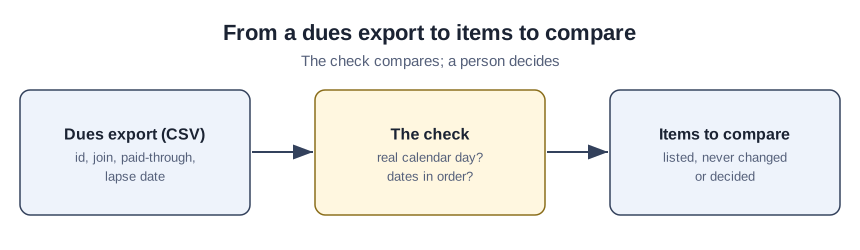
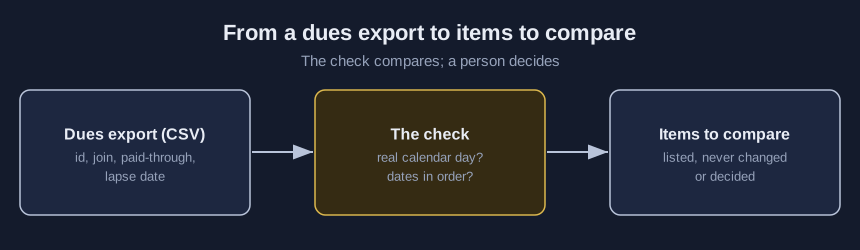
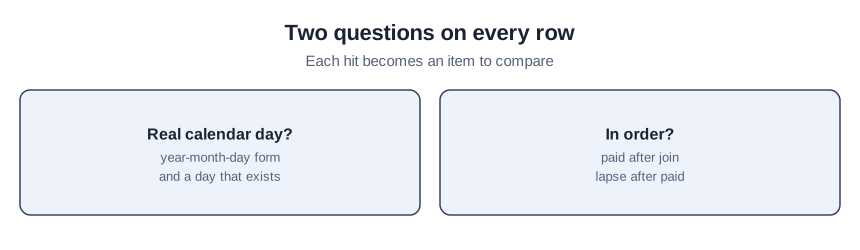
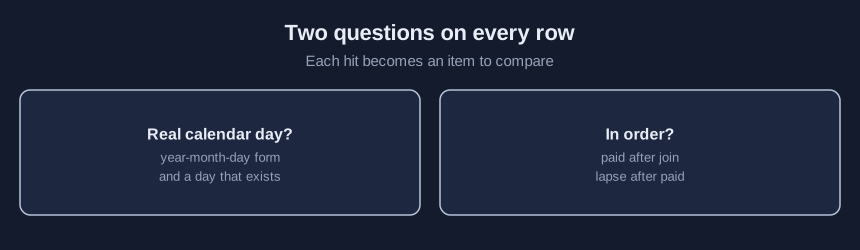
Choose a CSV dues or renewal export in a browser lab, set your own required-date flags, and read the items to compare with the original export: blank dates, days that are not real, and dates on a row that are out of order.
Time needed: About 40 minutes, plus the time to compare each listed item with the original export
Before you start:
- A dues or renewal export with a member id, a join date, a paid-through date and a lapse date, or use the sample files
- A recent desktop browser
Membership Dues Data Quality Csv
A dues export can hold a February 30, a paid-through date that sits before the join date, or a blank where staff expect a day. By the end you will have checked one export for impossible dates and out-of-order dates, and written down what you decided. Mixed date formats and day-first against month-first conflicts belong with the spreadsheet-damage check for member exports; for a dated reminder schedule that leaves members off for an opt-out, see the renewal reminder schedule tutorial.
Try it now: the dues date-logic check reads a CSV dues or renewal export without sending the file anywhere. Its reports list member ids, row numbers and column names only, with no names or email addresses. Until your organization decides who may see the real dues export, use made-up data.
What five documents say about calendar days, anniversary terms and accurate dates
None of the five documents we read measures whether this check changes dues or renewal outcomes.
An Internet standards-body specification for Internet date stamps, July 2002, sets February to 28 days in a normal year and 29 in a leap year, and April to 30. A leap year number is divisible by four, except that a centennial year must also be divisible by four hundred. A federal agency FAQ, page read October 2026, states that 2000 was a leap year but 1900, 1800 and 1700 were not.
One association’s membership page, page read October 2026, says membership terms are on an anniversary cycle for one year, and that if membership lapses beyond that association’s own 90-day grace period the term begins on the day the member renews. A university retiree association’s volunteer documentation, updated July 2023, describes an annual membership year from July 1 through June 30 and a 60-day grace after June 30. Each grace figure is that organization’s own rule, never a standard.
A magazine article in an association’s own publication, December 2014, reports one staff member who wanted everything in the database as accurate as possible, and whose newsletter template displayed each recipient’s membership expiration date. It is about accurate expiration data in a reminder.
Check a dues export for calendar and order logic in ten steps
Both the blank template and the decision log are in the starter kit; email ai@trihelix.co and we’ll send it.
- Export a fresh dues or renewal file with a member id and the three date columns.
- Start your file from the first row of the kit’s dues-blank-template.csv.
- Type your own column names under “Column names in your file”.
- Set the required-date and equal-date flags under “Required dates and equal dates”.
- Pick the export with “CSV file from your computer”.
- Press “Check” and note the count on the status line.
- Open the original export at every row listed under “Items to compare”.
- Note each decision and its owner in the kit’s date-check-log.csv.
- Correct the member system at the source, not only the exported file.
- Run the repaired export through steps 5 to 7 again.
Walking through the planted dues sample
This example uses invented members only. Choose “Load planted sample” and leave the settings as they are. Member M0001 holds 2023-02-29 on the join date, which is not a real day in that year. M0002 holds April 31. M0005 has a paid-through date before the join date. M0009 has a lapse date before both the paid-through date and the join date. M0010 has a blank join date. An item only tells you where to look in the original export; it is not a finding. The not-a-calendar-date rows are cells that are not in year-month-day form; the post does not teach how to repair them.
Checking a clean export
Then press “Load clean sample”. The status line shows “items to compare: 0” with no table under it. A zero means only that no row met your settings, so still open a few members in the original export and check their dates by eye.
Mistakes that leave a bad date in place
Editing only the exported file hides the cause in the member system. Treating a blank lapse date as proof that a member is current assumes more than the lab knows. Calling an order flag a legal rule overstates what the sources give, because those flags are the lab’s own settings and no document we read makes them a requirement. A date the lab passes can still be wrong for your renewal rules.
What the dues lab reads and what it never decides
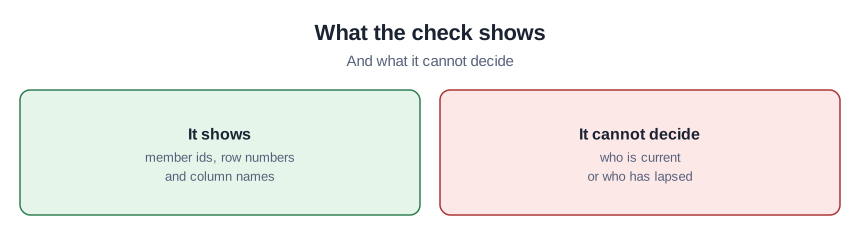
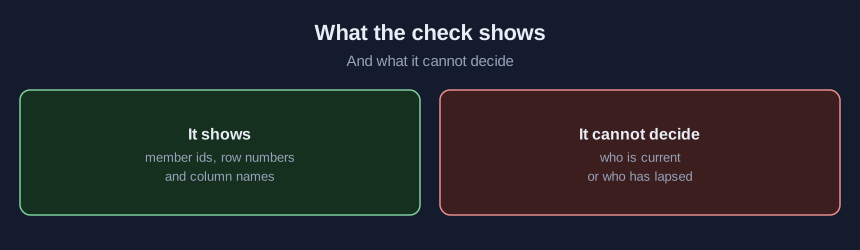
The lab reads one CSV file of up to 5 MB. The required-column and equal-date flags are the lab’s editable defaults, and the order rules (paid before join, lapse before paid, lapse before join) are its own settings, not standards or legal requirements. It never changes a date and never decides who is current. It was tried only on invented dues files in one desktop browser.
Sources (5)
- G. Klyne and C. Newman: Date and Time on the Internet: Timestamps, RFC 3339, July 2002 (Internet standards-body specification covering Internet date and time stamps)
- U.S. National Institute of Standards and Technology, Time and Frequency Division: Leap Seconds FAQs (federal agency FAQ, page read October 2026)
- ASAE: Individual Membership (association membership page, page read October 2026)
- ASU Retirees Association (ASURA): Membership drive (university retiree association volunteer documentation, updated 17 Jul 2023)
- Joe Rominiecki: Membership Memo: Don't Forget! (Associations Now, December 1, 2014; magazine article in an association's own publication)