Tutorial
BeginnerCheck a Submission Export for People Over Your Call's Participation Limits
Choose one CSV submission export in a browser lab, copy the caps and exemptions from your own call for submissions, and read counts per person id plus the items to compare with the original export.
Time needed: About 30 minutes, plus the time to compare each listed item with the original export
Before you start:
- A submission export for one meeting with person_id, session_id, submission_id, role and authorship columns, or use the sample files
- Your own call for submissions, with its caps and exemptions
- A recent desktop browser
Conferences Session Proposals Data Quality Csv Event planning
This tutorial counts one submission export per person id against the participation caps in your own call for submissions, after the deadline and before acceptance notices go out. By the end you will have listed people over the caps you set, rows that cannot be counted and ids that may be one person, with a log of what you compared. Scoring proposals comes one step earlier, in the session review-score tutorial.
Try it now: the participation limit check counts sessions, submissions and authorships per person id from a single CSV file, entirely in your browser, with no upload. Its tables show ids, row numbers, column names and counts, with no names or email addresses. Until your organization decides who may see the real submission export, use made-up data.
Four calls that count participation four ways
None of the four sources measures how often exports hold people over a limit or whether a check changes outcomes.
AERA’s call for its April 2027 meeting says an individual may not appear as first author on more than two paper submissions. The same page says a person may not appear on the program more than four times, and its FAQ counts co-author roles among them and says the limit does not include participation in invited sessions or any session connected with an AERA office, committee, or award.
ASA’s call for its 2026 meeting says individuals may not be listed on more than two sessions, across all participant roles. Session organizers and mentors are exempt unless they hold another role in that same session, and only one single-authored paper presentation is permitted.
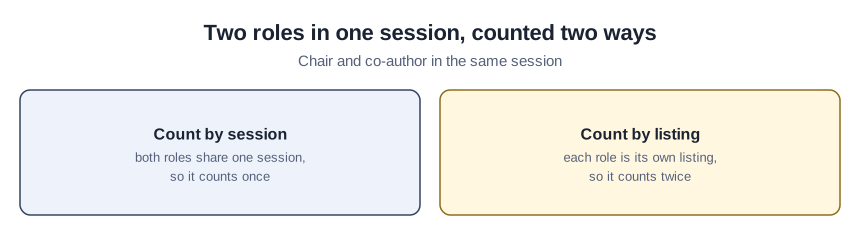
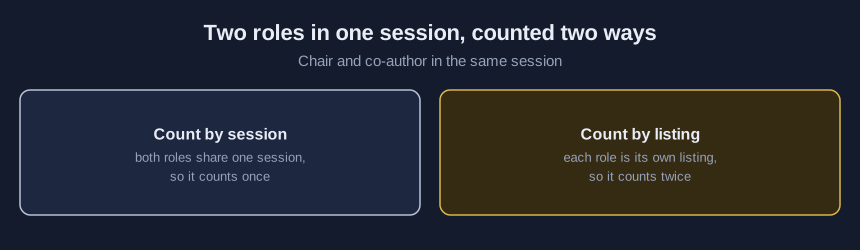
AOM’s submission policies page, read October 2026, allows no more than three scholarly submissions per person and no more than three sessions during the refereed Scholarly Program. Someone with more than one role in a single session counts once for that session. Its PDW program has a separate limit, so export one program per file.
MLA, a member association whose convention FAQ shows no date (consulted October 2026), says a participant may be listed only twice in the Program. There, two different roles in the same session count as two listings.
Count one submission export in eight steps
A starter kit with submissions-blank-template.csv and participation-check-log.csv comes to anyone who emails ai@trihelix.co.
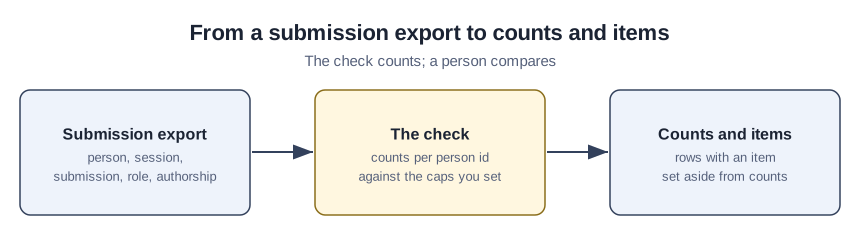
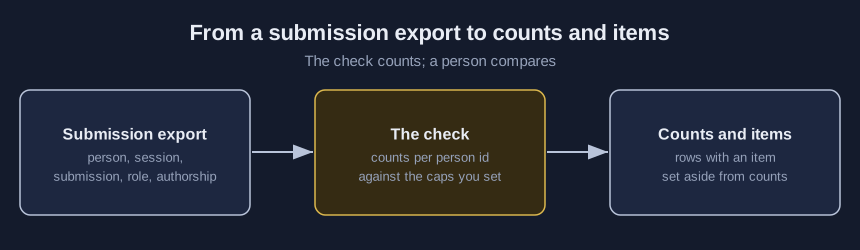
- Export one meeting, one row per person per role per session, with person_id, session_id, submission_id, role and authorship.
- Add session_type for exempt session types and name for the possible same person check, and type your own headers under “Column names in your file”.
- Under “Count appearances by”, pick “Session” or “Listing” to match your call.
- Copy each cap from your call into its own box and leave a box blank to switch that check off.
- Type your call’s exempt roles and exempt session types, separated by commas.
- Pick your export under “CSV file”, then press “Check” once.
- Open the original export beside each entry under “Items to compare”, and log who looked in participation-check-log.csv.
- Follow your association’s own process for anyone over a cap, then run steps 6 and 7 again on a new export.
The lab keeps one exemption list, applied to every count, even where a call exempts a role from only one limit. A single author also counts as first author, our setting, which a checkbox in the lab turns off.
What the planted file’s made-up people show
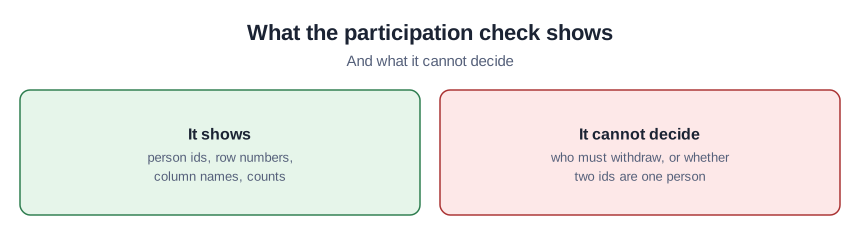
The planted file holds only invented people. Press “Load planted sample” and “Fill example settings (made-up practice numbers)”. These settings mix numbers from the four calls and match no single association’s rule. P-0121 chairs one session, is discussant in another and chairs and co-authors in a third: three by session, at the cap and not listed, but four by listing, so listed. P-0124 organizes four sessions and presents in one, so with organizers exempt one session counts. P-0127 and P-0128 have names that match after simple clean-up, so they appear as a possible same person, and their counts stay separate. Never add together counts for two ids that might be one person; real matching belongs in the duplicate and stale member records tutorial. Any row with an item, such as a blank person id or a repeated row, stays out of every count until someone compares it with the original export.
Check the lab against the clean sample
As a control, press “Load clean sample”, then “Check”. That file plants no problem, so any item it shows points to a changed setting or column name.
Mistakes that turn a count into a verdict
Copying another association’s caps from this page into the settings swaps its rule for yours. Adding up two ids that only look alike treats a guess as a match. Calling a listed person a rule breaker skips the original export and your own process. Leaving the example settings in place checks your export against practice numbers instead of your call.
Where the participation lab stops
Only one CSV file under 5 MB goes in, and the lab never removes a row, never merges two people and never decides who must withdraw. Its caps, counting choice and exemptions are its own settings, not standards or legal requirements. Its name clean-up misses changed surnames and nicknames and can pair two people who share a name. Testing used only made-up files, run in Node and in a desktop browser.
Sources (4)
- AERA: 2027 AERA Annual Meeting Call for Submissions (AERA's call for its April 2027 meeting; PDF dated July 9, 2026, linked from the association's 2027 call page; limits on pages 5 and 11)
- ASA: Call for Submissions and Proposals, Annual Meeting Participation Policies (ASA's call for its 2026 meeting; page last updated February 26, 2026)
- AOM: Submission Policies and Ethics (AOM's submission policies page, read October 2026; no date shown)
- MLA: Convention Session FAQs (a member association's convention FAQ page showing no date, consulted October 2026)